Free software to sync Outlook with Google Calendar: what to watch
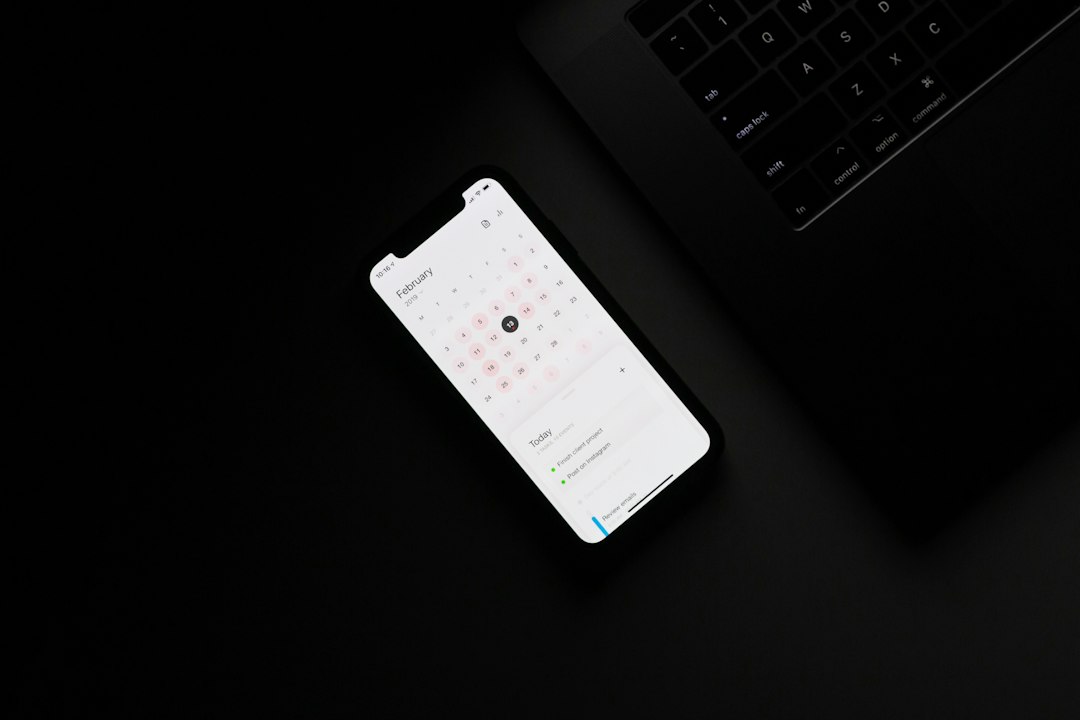
Two calendars, one person. Work lives in Outlook because the employer runs Exchange or Microsoft 365. Everything else lives in Google Calendar because that is what the phone opens. The search for free software to sync Outlook with Google Calendar usually starts on the day something got double-booked, and it usually ends with a download that solves a narrower problem than the one that caused the double booking.
The narrowing happens in the word sync. It covers at least four different operations, and free tools tend to do exactly one of them. Picking the wrong one produces a setup that looks connected for about a week and then goes quietly stale. Sorting the four apart first takes ten minutes and removes most of the candidates.
Four operations hiding behind one word
A one-way view means one calendar reads the other and paints it on screen. Nothing is copied into a permanent store. The events remain owned by the original calendar, and edits either fail or get discarded on the next refresh. This is what a subscribed URL does.
A one-off import means events are copied once, as a file, and then the two sides have no further relationship. Google's documentation is direct about this: "Imported events don't stay in sync between your 2 accounts." Microsoft says the same thing from its side: "When you import an .ics file, your calendar doesn't refresh the imported events, even if the calendar's owner makes an update."
A one-way copy on a schedule means a background process repeatedly reads calendar A and writes matching events into calendar B. Calendar B now holds real, editable events that happen to be overwritten every time the process runs.
A two-way copy means the process reconciles both sides, so an event created in either one appears in the other. This is the only operation that answers the original complaint, and it is the one almost no built-in feature performs.
Most disappointment with free tools traces back to expecting a one-way view to behave like a two-way copy. The view is accurate, read-only, and frequently late. It is not a merge.
What Google hands out, and what each address can do
Google's own help page describes exactly two ways to see a Google calendar inside another calendar application, and the difference between them decides everything downstream.
The first is a full account connection. "With some calendar applications, you can sync your calendar using your Google Account. This means you can add and edit events from either Google Calendar or your other application." That is read and write, and it is the only Google-supplied route that allows editing from the other side. It requires the other application to support signing in with Google, which desktop Outlook on Windows historically has not done for calendars.
The second is a URL. In Google Calendar settings, under the individual calendar, the Integrate calendar section exposes a "Secret address in iCal format." Any calendar application that can subscribe to an ICS feed can read it. It is strictly read-only by design, and Google attaches a warning worth repeating: "Only you should know the Secret Address for your calendar. Do not share this address with other people. If you accidentally shared your calendar's Secret Address, click Reset to create a new Secret Address."
There is a third case that catches corporate users. The secret address can be absent. Google's guidance: "If you're using a Google Account for work, school, or other organization, your admin might've changed the sharing settings for your calendar." No amount of free software recovers an address the administrator has switched off.
Going the other direction, from Outlook into Google, the documented route is export and import. Google supports ICS and CSV files, imports into the primary calendar unless another is chosen, and drops part of each event on the way: "When you import an event, guests and conference data for that event are not imported." A meeting arrives as a block of time with no attendee list and no conference link. For a record of where the day went, that is fine. For a calendar people are expected to act on, it is not.
What Outlook accepts on its side
Outlook.com and Outlook on the web can subscribe to an ICS feed through Add calendar, then Subscribe from web. That covers the Google secret address neatly. The catch is in Microsoft's own note on refresh timing: "When you subscribe to a calendar, your calendar will automatically refresh if the other calendar is updated. This can sometimes take more than 24 hours."
A subscribed calendar that can lag by a day is not a safety net against double booking. It is a rear-view mirror. Anyone scheduling on top of a subscribed feed is scheduling against yesterday's information, and nothing on screen indicates how old the data is.
The upload path is worse for this purpose, because it never updates at all. It is a snapshot with a confident-looking future.
The free routes, side by side
These are the arrangements people actually end up with. The table compares what each one does, not which is best, because they answer different questions.
| Route | Direction | Stays current | Runs on | Cost |
|---|---|---|---|---|
| Google secret ICS address subscribed in Outlook | Google to Outlook, read-only | Refreshes on a timer, can exceed 24 hours | Any Outlook that can subscribe from web | Free |
| Outlook export, then Google import | Outlook to Google, one-off | No | Desktop export, then a browser | Free |
| Google account added to a desktop calendar app | Both, read and write | Yes, on the account's own refresh setting | Any app that supports signing in with Google | Free |
| Outlook Google Calendar Sync (OGCS) | One-way either direction, or two-way | Yes, on its own schedule while running | Windows | Free, open source |
Only the last two write. The first two are display and archive.
The open source option, and its one hard constraint
Outlook Google Calendar Sync, usually shortened to OGCS, is the tool that appears in almost every forum thread on this search. Its project page describes it as "Feature Packed, Open Source .... and Free!" and states the scope plainly: "Sync your Outlook and Google calendars securely, including meeting attendees, reminders, full description and more."
Ideal for liberating your corporate Exchange calendar, making it available on any of your devices with access to Google Calendar. Source: outlookgooglecalendarsync.com
What it carries across is unusually complete for a free tool. The documented attribute list includes subject, description, location, attendees with their required or optional status, reminders, free and busy availability, privacy, and categories with their colours. Direction is configurable: Outlook to Google, Google to Outlook, or two-way. There are installable and portable builds, and the project notes it "even runs from a USB thumbdrive." Version coverage runs from classic Outlook clients through to current releases, and for the newer Outlook for Windows application the project directs users to the Outlook Online functionality in version 3, which connects to Microsoft 365 cloud accounts directly.
The hard constraint is the platform. OGCS is a Windows application. On a Mac there is no equivalent build, which removes the most capable free option from the table for anyone whose main machine is a Mac. The second constraint follows from how it works: it is a program on a computer, so it syncs when that computer is awake and the program is running. A laptop closed on Friday afternoon syncs nothing over the weekend.
Where each free route actually breaks
The failure modes are predictable enough to check for in advance.
Duplicates from two copies running. Set up a one-way copy from Outlook to Google, then later add a subscription in the other direction to "make sure," and every event exists twice. Copy operations create events. Two copy operations create two sets. Decide on one writer per calendar and leave the other side read-only.
Stale availability nobody can see. A subscribed feed and a timed copy both introduce lag. The events are correct and the timing of the information is not. Before trusting a merged view for scheduling, change something on one side and time how long it takes to appear on the other. That number is the real margin of error.
Attendees and conference links lost in transit. The import route strips guests and conference data. A copied event with no Teams or Meet link means opening the original calendar anyway, which defeats the purpose of merging.
Titles visible where they should not be. A full description sync carries subject lines into whichever calendar receives them. If the receiving calendar is shared with family, or with colleagues, the contents travel with the event. Where the only goal is to stop double booking, a busy block with no title does the job with less exposure.
A secret address that stopped being secret. The ICS URL grants read access to everything on that calendar, forever, to anyone holding it. Pasted into a chat to get help with setup, it stays in that chat. The Reset button in Google Calendar settings invalidates it, and it is worth using after any setup session that involved sharing screens or pasting links.
Administrator settings that remove the option. On managed accounts, both the Google secret address and Outlook's ability to subscribe to external feeds can be disabled centrally. Confirming this before installing anything saves an evening.
Recurring events arriving as loose copies. Google notes that repeating events imported from a CSV file may not stay a series: they land as a run of separate one-time events. Moving a weekly stand-up then means editing every instance by hand, and deleting the series means deleting each block. Anyone migrating a calendar rather than mirroring one should export to ICS where the option exists, since the recurrence rule survives that format.
A CSV that will not load. The file-based route is fussier than it looks. Google requires the header row to be written in English regardless of the interface language, and only two of the columns are mandatory: Subject and Start Date. Everything else, including start and end times, all-day status, description, location and the private flag, is optional. A spreadsheet exported with localised headers fails on upload with no indication of which column caused it, so renaming the header row before the first attempt is faster than debugging the error.
The part syncing cannot fix
A working sync produces one honest grid. It does not produce a schedule that survives the day. Once both calendars are visible in one place, the next problem is usually visible for the first time: back-to-back meetings with no travel between them, a lunch that exists as a habit rather than an event, and an hour of preparation that nothing on screen has reserved.
That gap is an entry problem more than a sync problem. Blocks that take four fields and three clicks to create do not get created, which is why travel and preparation are the first things to go missing. A desktop calendar where entering an event costs one line of typing changes which events survive, and the Guide covers what that looks like in practice. For travel specifically, see Travel time.
What to change first
Pick one writer and one reader before installing anything: decide which calendar is allowed to create events, and make the other side read-only. Then measure the lag on whichever free route is chosen, because a merged view that runs a day behind will keep producing the double bookings it was installed to prevent. If the merged grid is meant to live on a Mac rather than a Windows machine, start from a native calendar that connects to both accounts directly, such as Caltimate, rather than a background copier that cannot run there.
Frequently asked questions
Is there a free tool that syncs Outlook and Google Calendar in both directions?
Yes. Outlook Google Calendar Sync is open source, free, and supports Outlook to Google, Google to Outlook, and two-way modes, carrying subject, description, location, attendees, reminders, availability, privacy and categories. It is a Windows application, so it needs a Windows machine that is awake and running the program for the sync to happen.
Why do events stop updating after the first day?
Because the route used was an import rather than a subscription or a copy. Google states that imported events do not stay in sync between two accounts, and Microsoft states that an uploaded .ics file is not refreshed even when the original owner changes it. Both are one-off file transfers by design.
Is the secret iCal address safe to use?
It works, and it is read-only, which is why it cannot cause duplicates. The risk is that the URL itself grants access to that calendar's contents to anyone who holds it, with no login. Google advises against sharing it and provides a Reset button that invalidates the old address and issues a new one.
Why is the attendee list missing on copied events?
Google's import process drops part of each event: guests and conference data are not imported. A meeting that arrives through export and import shows the time and title but no invitee list and no meeting link. Tools that connect through an account rather than a file, including OGCS, can carry attendees across.