Scheduling meetings in different time zones without waking anyone up
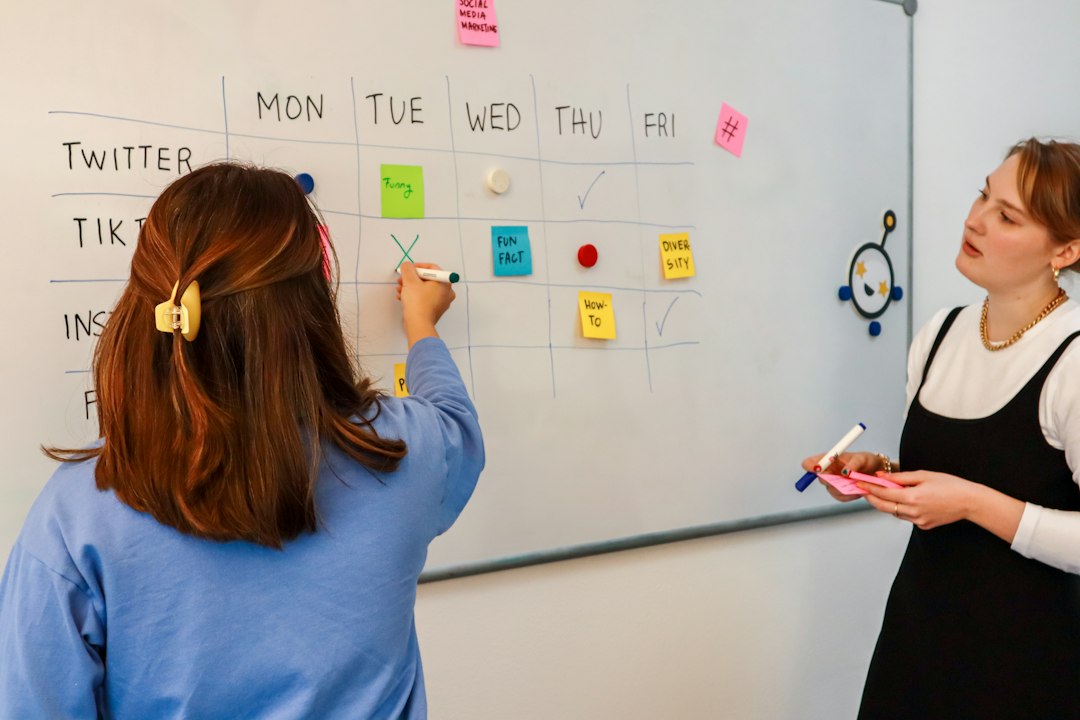
Three people, three continents, one weekly call. Somebody is going to be eating dinner and somebody is going to be awake before sunrise, and the calendar tool will not say so. It will show a green block and an invitation to click send.
Scheduling meetings in different time zones is usually treated as a search problem, as though the right converter would reveal an hour that suits everyone. Past two zones that hour frequently does not exist. The work is not finding it. The work is deciding, on purpose, who absorbs the inconvenience and how often, and then writing the invite so that the decision survives the weeks when the clocks move.
The overlap is arithmetic, and it is smaller than it feels
Start with the numbers, because they settle most of the argument before anyone has an opinion. Japan sits at UTC+9 and does not shift. Central Europe runs at UTC+1 in winter and UTC+2 in summer. The United States Pacific coast runs at UTC-8 in winter and UTC-7 in summer.
Take a conventional working day of 9:00 to 18:00 in each location and the shared window is startlingly thin.
| Pair | Winter difference | Shared 9:00 to 18:00 window |
|---|---|---|
| London and New York | 5 hours | London 14:00 to 18:00, which is New York 9:00 to 13:00 |
| Tokyo and San Francisco | 17 hours | Tokyo 9:00 to 11:00, which is San Francisco 16:00 to 18:00 the previous day |
| Tokyo and Berlin | 8 hours | Tokyo 17:00 to 18:00, which is Berlin 9:00 to 10:00 |
| Berlin and San Francisco | 9 hours | None. Berlin 18:00 is exactly San Francisco 9:00 |
The transatlantic pair is comfortable and is the reason many people assume the problem is manageable in general. It is not representative. The Tokyo to San Francisco window is real but sits on two different calendar days, so it is easy to miss when scanning a grid. Tokyo and Berlin share a single hour at the edge of both days. Berlin and San Francisco share nothing at all.
Put all three of Tokyo, Berlin and San Francisco in one meeting and the shared window is empty, because the hour that works for two of them is the middle of the night for the third. At that point every option on the table is a choice about whose evening or early morning gets used, and no converter will make that choice go away.
Knowing that changes the conversation in a useful way. A team that believes a convenient hour exists will keep hunting for it and keep resenting the result. A team that has seen the table above can move on to the real question, which is how the cost gets distributed.
Pick a window, then defend it
The practical approach is to define one band per location where meetings are allowed and treat everything outside it as unavailable rather than as merely inconvenient. Something like 8:00 to 19:00 local, with a hard edge, works because it is enforceable and because it is honest.
Two reasons this is better than case by case negotiation. It makes the impossible cases visible immediately, which is the information that lets a meeting turn into something else. And it removes the quiet asymmetry where the most senior or most numerous group's hours become the default without anyone deciding.
The band also needs an exception rule, because a genuine quarterly all hands is worth one bad morning. Naming the exception as an exception is what stops it from becoming the standing pattern by accident.
Fairness is a rotation, not a compromise
When no shared hour exists, the choice is between one group always paying and the groups taking turns. A midpoint that lands at 6:00 for one side and 22:00 for the other is not a compromise. It has simply produced two unhappy participants instead of one.
Rotation works and is rarely used, mostly because calendars make it awkward. A monthly series that alternates between a morning favouring Asia and an evening favouring the Americas needs two series rather than one, and the two have to be described clearly enough that nobody has to work out which week they are in. Two invites with explicit names are easier to live with than one invite that moves.
Whatever the rotation, the period matters more than the split. A cost that recurs weekly is felt; a cost that recurs every eighth week is absorbed. Halving the frequency of a cross zone meeting is usually a bigger improvement in how it feels than any change to the hour.
The weeks when the arithmetic changes under you
The offsets above are winter offsets, and they are not stable. Regions that observe daylight saving do not change on the same dates, and Japan does not change at all. For a few weeks each spring and autumn, the usual difference between two cities is off by an hour compared to the rest of the year.
For a one off meeting this does not matter, because the invite fixes an instant and every guest's calendar converts it correctly. For a recurring meeting it matters a great deal, and the reason is in the event format rather than in anyone's settings. Google's event reference states that for recurring events the time zone field is required and specifies the time zone in which the recurrence is expanded. A weekly series holds a wall clock time plus one zone, and it reproduces that wall clock time in that zone forever.
So a series created at 9:00 Berlin time stays at 9:00 in Berlin through both changeovers, and moves by an hour in Tokyo twice a year. Nobody edited it. The zone the series was created in is the zone that stays still, and everyone else moves.
Two habits follow from that. Create standing series in the zone whose hours you least want to disturb, which for anything customer facing is the customer's. And when a series does need to move, recreate it rather than dragging instances, because a dragged instance becomes an exception carrying its own stored start time and a series full of those is impossible to reason about from the outside.
Seeing two zones at once on a Mac
Doing this arithmetic in your head every time is where the errors come from. Calendar on a Mac can display the arithmetic instead, and the switch is off by default.
Apple's guide notes that calendar events are displayed in the computer's current time zone unless that is changed. In Calendar, choose Calendar then Settings, click Advanced, and select "Turn on time zone support". Two controls appear. A time zone menu sits to the left of the Calendar search field and redraws the whole grid in another zone, which is the fastest way to see what a proposed hour looks like from the other side. And each event gains a Time Zone pop-up menu next to its date, so a single event can be pinned to the zone it belongs to.
Two cautions come with the switch. Apple's guide states that new events use the new time zone once the calendar's zone has been changed, and that events created in another zone keep it when the display is switched back. Anyone who switches the display to check a colleague's hour and then creates an event has just created it in the wrong zone. The habit that avoids this is to switch, look, and switch back before typing anything.
The other caution is the Floating option on the event's Time Zone menu. A floating event has no zone and never moves when the display changes, which is right for a personal block and wrong for anything with guests, because each guest's copy floats in their own zone rather than matching the organiser.
Why a free slot in a scheduling tool is not an available slot
Every scheduling assistant, poll and availability page is built on the same underlying question, and it is narrower than it looks. Google's free and busy lookup takes a list of calendars and a window, and returns, for each calendar, a list of time ranges during which that calendar should be regarded as busy. Busy means there is an event on it. Nothing in the answer describes sleep, commuting, school pickup or the fact that a particular hour is 5:00 somewhere.
So a tool showing green at 23:00 for a colleague is not making a claim about whether that hour is reasonable. It is reporting the absence of an event. Anyone who has been booked at midnight by an automated scheduler has met this distinction. The correction is to define working hours in the calendar so that the tool has something to go on, and to treat the green block as a filter rather than as permission.
Two limits in the same lookup are worth knowing for anyone building an availability page across a distributed team. The number of calendars in a single query is capped, with a documented maximum of 50, and expanding a group into its members is capped at 100. A page that quietly stops covering people once the invite list grows produces the worst possible failure, which is confident availability based on a partial answer. The response also defaults to UTC unless a zone is requested, which is a reasonable default for a machine and the source of a whole category of off by nine display bugs in tools built on top of it.
Not everything needs to be a meeting at a time
Once the overlap table is on the table, some meetings visibly stop being worth an hour of somebody's night. Three patterns absorb most of them.
A recorded update replaces a status meeting outright, and does it better across zones because it can be watched at speed. What it needs to work is a written decision log, since the thing people actually need from a status call is what was decided rather than what was said.
A written proposal with a comment deadline replaces most discussion meetings, and it gives the people in the least convenient zone the same amount of influence as the people who happen to share an afternoon. The deadline is the part that makes it real.
A short handover window, rather than a meeting, covers the cases where two zones genuinely need to talk. Twenty minutes at the edge of two working days, used for questions only, is easier to sustain than an hour in the middle of one of them.
What is left after those three is the set of meetings worth scheduling across zones, and it is usually small enough that the rotation stops being a burden.
A short checklist before sending
Five things, all of which take seconds and all of which prevent a specific failure.
Confirm which zone a recurring series is anchored in, because that is the zone that will not drift.
Write the time in the description with a city name and a 24 hour clock, not a three letter abbreviation. Several abbreviations mean more than one offset, and the ones tied to daylight saving are wrong for much of the year.
Include the date, because any meeting that crosses midnight for one participant is on a different calendar day for them.
Put the joining link and the agenda in the event body rather than in an attachment, since a guest outside the organisation may only ever see the mail.
Name the rotation in the event title when there is one, so that nobody has to count weeks to know whether this is the Asia friendly instance or the Americas friendly one. If the way events get built is the underlying friction, tightening how events get entered does more than any converter, and comparing how different calendars surface a second zone on the event itself is a fair part of choosing between calendars for anyone doing this weekly.
What to change first
Turn on time zone support, then write out the overlap table for the zones your team actually spans and share it. Once everyone can see that the convenient hour does not exist, the argument becomes a rotation schedule rather than a search. For a Mac calendar that keeps the second zone visible while the event is being created, Caltimate is built around that.
Frequently asked questions
What is a fair meeting time across three time zones?
Usually there is no hour inside everyone's working day, so fairness comes from rotation rather than from a single time. Alternate between an hour that suits one region and one that suits another, name each instance clearly in the title, and reduce the frequency so the inconvenient slot comes round less often.
Why does my recurring meeting move by an hour twice a year?
Because a recurring series stores a wall clock time and one time zone, and it is expanded in that zone. The series keeps the same local time where it was created, so everyone in a region with different daylight saving rules absorbs the shift on the weeks when the organiser's region changes offset.
Should I write times as EST or as UTC offsets?
Prefer a city name with a 24 hour clock, and add a UTC offset if there is any doubt. Three letter abbreviations are ambiguous, since some are used for more than one offset, and the daylight saving forms are wrong for most of the year in the places people apply them to.
How do I see another time zone in Calendar on a Mac?
Choose Calendar then Settings, click Advanced, and select "Turn on time zone support". A time zone menu appears next to the search field and redraws the calendar in the chosen zone. Switch back before creating any event, because new events are created in whichever zone is currently displayed.
When can Tokyo and San Francisco meet inside working hours?
In winter the window is Tokyo 9:00 to 11:00, which is San Francisco 16:00 to 18:00 on the previous calendar day. It is easy to overlook because the two sides are looking at different dates, so writing both the date and the city into the invite matters more here than anywhere else.